

- Home
- Login & Registration
Pasha Casino: Login And Registration Guide
Pasha Casino is an online entertainment platform that brings betting, slots and live games together in one account. This page explains how to open an account, log in and complete verification step by step. The current address can change from time to time, so take links only from official channels such as the official Telegram channel. The service is for adults aged 18+ only, and betting carries a risk of losing money. If play stops being fun, take a break; GambleAware (begambleaware.org) offers free support.
- 18+
- Last checked: 26.11.2026
- Author: Mert Kaya
- Expert review: Kaan Öztürk
- Independent information site
Contents
- Before you open an account
- Search phrases and what they mean
- Step-by-step login
- How the registration form works
- If you forget your password
- Account verification
- Login errors: cause and fix
- Browser and device settings
- First deposit and bonus activation
- Age limit and the one-account rule
- Logging in from a phone
- Everyday security habits
- Notifications and contact details
- Taking a break or closing the account
- Summary
- Frequently Asked Questions
Before you open an account
Account work has three parts: registration, login and verification. Registration happens once, login is repeated every session, and verification usually comes up before the first withdrawal. This page walks through all three in order and collects the most common errors in a single table. Before starting, have three things ready: an identity document showing that you are over 18, a payment instrument registered in your own name and the current platform address obtained from an official channel.
Nothing on this page asks for a username, password or card number. Enter those details only on the platform’s official address. The steps below are guidance, and button names on screen can change over time.
Search phrases and what they mean
Account questions are phrased in similar ways but come from different needs. Pasha Casino login is usually typed by a player who already has an account and wants the right door. Pasha Casino sign in and pasha casino log in are variants of the same request, written the way different people spell it. Those who type pasha casino login problem have already met an error and want a fix, which is why a table of causes and solutions appears below.
New players write pasha casino registration, pasha casino sign up or pasha casino register, and all three mean opening an account. Pasha Casino account searches cover everything about the profile itself, pasha casino password reset points to the recovery route, and pasha casino verification refers to the identity check that precedes a withdrawal. Each of these questions is answered in its own section further down.
Step-by-step login
Login takes five steps, and each has a purpose.
- Open the current address from the official channel. The address can change, so take it from the official Telegram channel and not from a search engine.
- Tap «Login» in the top-right corner. On a phone the button can sit inside the menu.
- Enter your username and password. If you copy and paste, make sure no space was added at the start or end.
- Confirm the code if the system asks for one. When an SMS code is requested, type it before it expires and never share it.
- Check your balance and active bonuses. Make sure the account is the right one and that nothing unexpected appears in the history.
Following the same sequence every time reduces the chance of entering details on a copy of the site. On shared devices, log out when you finish.
How the registration form works
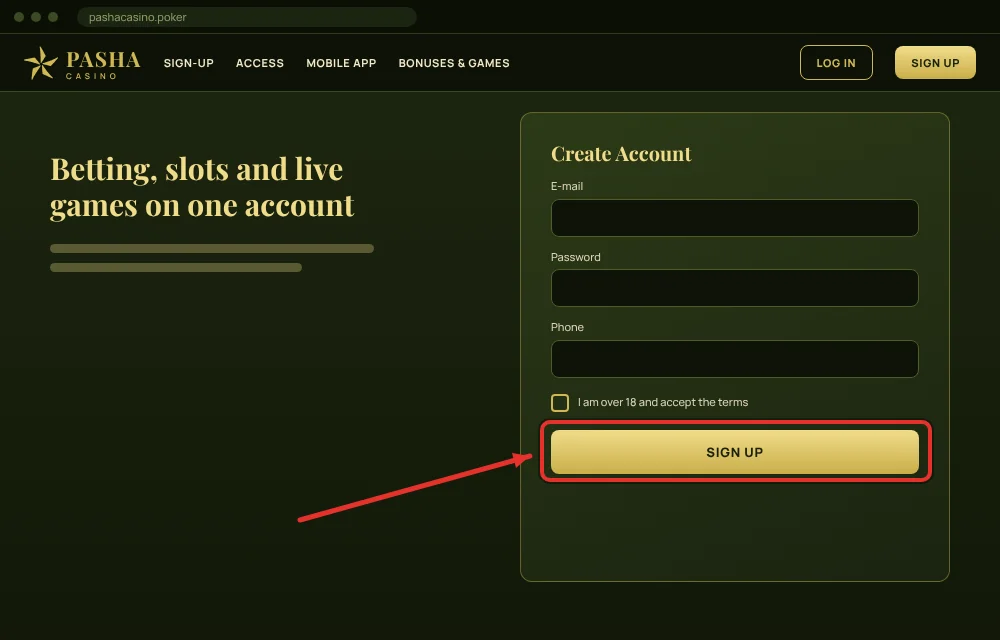
The registration form is short. It asks for contact details, a username and a password, and for confirmation that you are over 18. The exact fields can differ from what is described here, but the principle stays the same: enter accurate, current information, because it may be compared with your documents during verification. Write your name and date of birth exactly as they appear on your identity document, with no abbreviations or nicknames.
For the password, choose at least twelve characters mixing letters, digits and symbols, and do not reuse a password from e-mail or other sites. After registration you can log in at once. Before the first deposit, read the terms and the bonus cards. Giving a correct phone number and e-mail address now makes password recovery and support much easier later.
If you forget your password
If the login form offers a password-reset option, use it; instructions are sent to your registered contact details. If there is no such option, or you cannot reach the registered contact, open the live chat and share details that identify the account. Support never asks for your password or a one-time code, and anyone who does is not part of the team.
When choosing a new password, do not simply repeat the old one with a small change. After changing it, close sessions on other devices. If you suspect that someone else entered your account, change the password first and then write to support so the account activity can be reviewed.
Account verification
Verification confirms that the account really belongs to you. It is usually requested before the first withdrawal and involves a photo or scan of an identity document; sometimes proof that a payment instrument is yours is also needed. All four corners of a document should be visible, the text must be legible and the document must be valid. Blurred or cropped photos are the most common reason a check takes longer.
No fixed duration is promised, because the time depends on document quality and on review volume. If you plan to withdraw, prepare the documents from the start and reply quickly to any request for missing items. Send documents only through the secure form in your account or the official support channel.
Login errors: cause and fix
| Problem | Likely cause | Fix |
|---|---|---|
| Page does not open | Address changed or access restricted | Take the current address from the official Telegram channel |
| Password rejected | Keyboard layout, letter case or an extra space | Type it by hand, check Caps Lock, use the reset option |
| Username not found | Typing error or a copy of the site | Check the address bar and retry on the right address |
| Code does not arrive | Operator delay or wrong phone number | Wait a few minutes, check signal, then contact support |
| Account looks restricted | Verification may be pending | Ask live chat why and send the documents |
| Balance not visible after login | Page not fully loaded | Refresh, log out and in again, contact support if it persists |
None of these fixes requires you to share account details with anyone outside the official support chat. If the problem remains, write to support with a screenshot, the time and the exact error text.
Browser and device settings
Some login problems come from the browser. Disabled cookies, an outdated browser version, content-blocking extensions or an automatic redirect to another address can stop the form from working. Update the browser first, then open the site in a private window to see whether an extension is the cause. If it works there, an extension or cached data is responsible.
If you use a VPN or proxy, turn it off temporarily and try again, because some network settings drop sessions. Also check that your phone’s date and time are set to automatic, since a wrong clock can invalidate codes. When nothing helps, tell support the device, browser and error message; this shortens the diagnosis.
Account queries come in many forms. Pasha Casino login, pasha casino log in and pasha casino sign in all ask about opening a session, while pasha casino registration, pasha casino register and pasha casino sign up ask about creating an account. Pasha Casino account, pasha casino verification and pasha casino password reset concern account management, and pasha casino login problem is the query of someone who cannot get in.
First deposit and bonus activation

Once the account is open, the first step is to enter the cashier and choose a deposit method. The minimum deposit is 100 TL, and as of 23.11.2026 the welcome bonus has upper limits of 100%, 2,500 TL and 100 free spins, with ×30 wagering and a 14-day validity period. If a bonus option is offered on the deposit screen or in the bonuses section, read the card and decide whether to accept it before depositing. More detail is on the Bonuses and games page.
Accepting a bonus is optional. If you accept, wagering may need to be completed before a withdrawal, and some games contribute less. If unsure, deposit a small amount without a bonus first, get used to the interface, and use a bonus later. Always deposit with instruments registered in your own name.
Age limit and the one-account rule
The platform serves only adults aged 18 and over. Age can be checked with an identity document, and registrations that fail the check are closed. Parents should use parental controls on devices that children can reach and keep payment cards out of their reach.
The rule is one person, one account. Holding several accounts can be treated as bonus abuse and lead to closure. Several people in one household may play, but each account must belong to a different person and use that person’s own payment instruments; if there is any doubt, ask live chat.
Logging in from a phone
Mobile login follows the same steps as on a computer, but the menu can be hidden behind a button on a small screen. After opening the site in the browser, adding a home-screen shortcut speeds up later logins. If the Android APK is installed, login happens inside the app. Installation steps are on the Mobile app page. If you use autofill, make sure it works only on the official address, because a fake page will not trigger it and that is a warning sign.
Everyday security habits
Keep the password in a password manager rather than in a notes app. Avoid logging in or paying over public Wi-Fi. Review the devices you have signed in on and sign out of ones you no longer use. If you receive an unexpected message about your account, do not click the link; open the address yourself from the official channel and look for the notice there. Never take screenshots with the password field visible.
Notifications and contact details
Check your notification and contact settings after registering. Keep security notices on, because they warn you about password changes, logins from new devices and withdrawal requests. Marketing messages can be switched off at any time. If you change your phone number, update it through support first, otherwise verification codes may go to the old number.
Taking a break or closing the account
If you want to pause, ask live chat for a temporary break or for the account to be closed; you do not have to explain why. During a break, remove saved card details, the home-screen shortcut and notifications, which makes an impulsive return harder. GambleAware (begambleaware.org) offers free support, and the National Gambling Helpline is 0808 8020 133.
When an account is closed, any remaining balance is handled with the methods shown in the cashier, and identity verification can be requested. Check pending withdrawals and active bonuses before submitting the request. Trying to open a new account after closure can break the rules, so make the decision with care.
Summary
For pasha casino sign in or pasha casino log in, the safest route is always the address from the official channel. Pasha Casino registration, pasha casino sign up and pasha casino register all lead to the same short form, and pasha casino account rules include the one-person, one-account principle. If pasha casino login problem appears, check the address, the password and the code in that order. Pasha Casino password reset runs through the reset option or live chat, and pasha casino verification is the security step before withdrawals.
Frequently Asked Questions
Why is the Pasha Casino login page not opening?
The most common reason is that the address has changed or access has been restricted. Take the current address from the official Telegram channel, check the address bar, clear the browser cache and try another network. If it still fails, write to live chat with a screenshot and the time; support will never ask for your password.
How do I register at Pasha Casino?
Open the official address, fill in the registration form with details that match your identity document, set a strong password and confirm that you are over 18. You can log in right after registration. Verification may be requested before the first withdrawal, so keep clear documents ready to avoid waiting.
What if I forgot my password?
Use the password-reset option on the login form if it is offered; instructions go to your registered contact details. If there is no option, open live chat and share details that identify the account. Support never asks for your password or a one-time code, so do not answer anyone who does.
How long does verification take?
No fixed time is promised, because it depends on document quality and on review volume. Legible documents with all four corners visible, and quick replies to any request for missing items, shorten the process. Verification is a security step that can be requested before a withdrawal and may apply to any player.
What should I do if the code does not arrive?
Wait a few minutes, check phone signal and confirm that the registered number is correct. If the code still does not arrive, do not keep requesting new ones; open live chat and mention the time. Never tell the code to anyone, because the team does not ask for it from players.
Author
Mert Kaya
iGaming analyst; has written about the Turkish betting and online gaming market since 2019 and checks brands’ bonus terms and official channels. Expert review: Verified by Kaan Öztürk. Last checked: 26.11.2026. Responsible gaming: GambleAware — begambleaware.org; National Gambling Helpline 0808 8020 133
Expert review
Kaan Öztürk